The agentic operating system for companies that want to move fast.

AI that works behind your systems, in a private environment that you control.

Model routing
Agents & Automations
Knowledge management
System integration
Content creation
Control & Oversight

“Companies that master AI will define the next decade of business.”

BlueCube AI

BlueCube helps you stay ahead

You have probably seen the demos: An agent answers a question or drafts a document, and everyone is impressed. Then it has to work with your real systems and your rules, and the outcome is not what you expected.

BlueCube CORE takes you from demo to production without surprises.

Your agents get exactly the right model, knowledge and tools they need to do great work for your people. And your organisation gets the control and oversight it requires to scale AI in the enterprise.

One operating system, in your own private environment

CORE runs in a private environment that only your organisation can reach. CODER tools work inside your organisation too, and build and adapt the systems CORE works with.

Diagram. A large box labelled Your organisation holds your people, your systems and CORE, from left to right. Your people send a request three ways: to their own systems, which call CORE; to 3rd party assistants, which sit outside your organisation and call CORE; or straight to CORE. CORE, a dedicated private cloud reachable only by your organisation, works behind your systems. Requests from your people and your systems enter CORE through one secure gateway just inside it and pass Control & Oversight, which records it in the Audit Trail. From there it goes to Model routing, then to Agents & Automations, which hand it to Knowledge management, System integration, Content creation and the Code sandbox at the same time. The answer comes back through Control & Oversight and leaves through the gateway, to your systems and to your people. Outside your organisation, next to the 3rd party assistants, are the model providers you choose and the external tools and systems CORE works with.

Your organisation
3rd party assistants
Your people
CORE - Private environmentdedicated private cloud, reachable only by your organisation
Your systems
External tools & systems
Model providers you choose

Safe to run, and fully under your control

Your environment.

A dedicated private environment, reachable only by your organisation. You decide who has access, what goes in and what leaves it.

Your models and tools.

You choose the providers, the models and the tools, and swap them when you want. Your data only goes where you choose.

Your rules.

Every action follows your flows and instructions and every call is checked against roles and rights. Agents stop for approval where you want them to.

Your oversight.

You monitor and measure the processes and actions your AI agents perform on behalf of your people. With full control of spending on tools and models.

CORE works with the systems you already have. Nothing needs replacing, unless you choose to do so.

Two steps to unlocking unlimited AI possibilities

Most companies don't even need to go beyond step 1. But the second step adds a layer of AI freedom not found in any other platform.

  1. Step 1. Configure your operating system.

    No development needed. A few power users configure the agents and connect them to your knowledge and your systems.

    Everyone else gets results in the systems and AI assistants they already use.

    Start with CORE
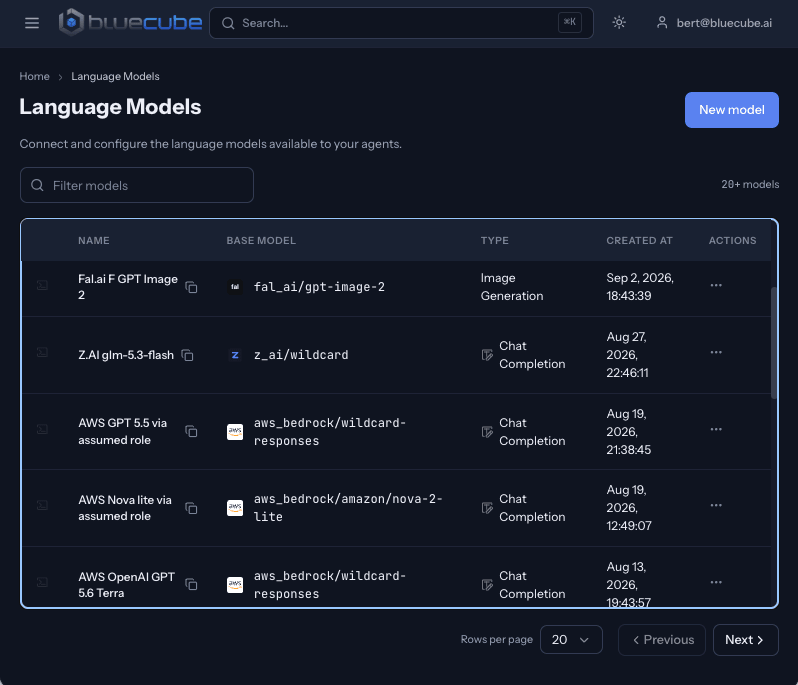
    CORE in a browser: the language models your agents can use
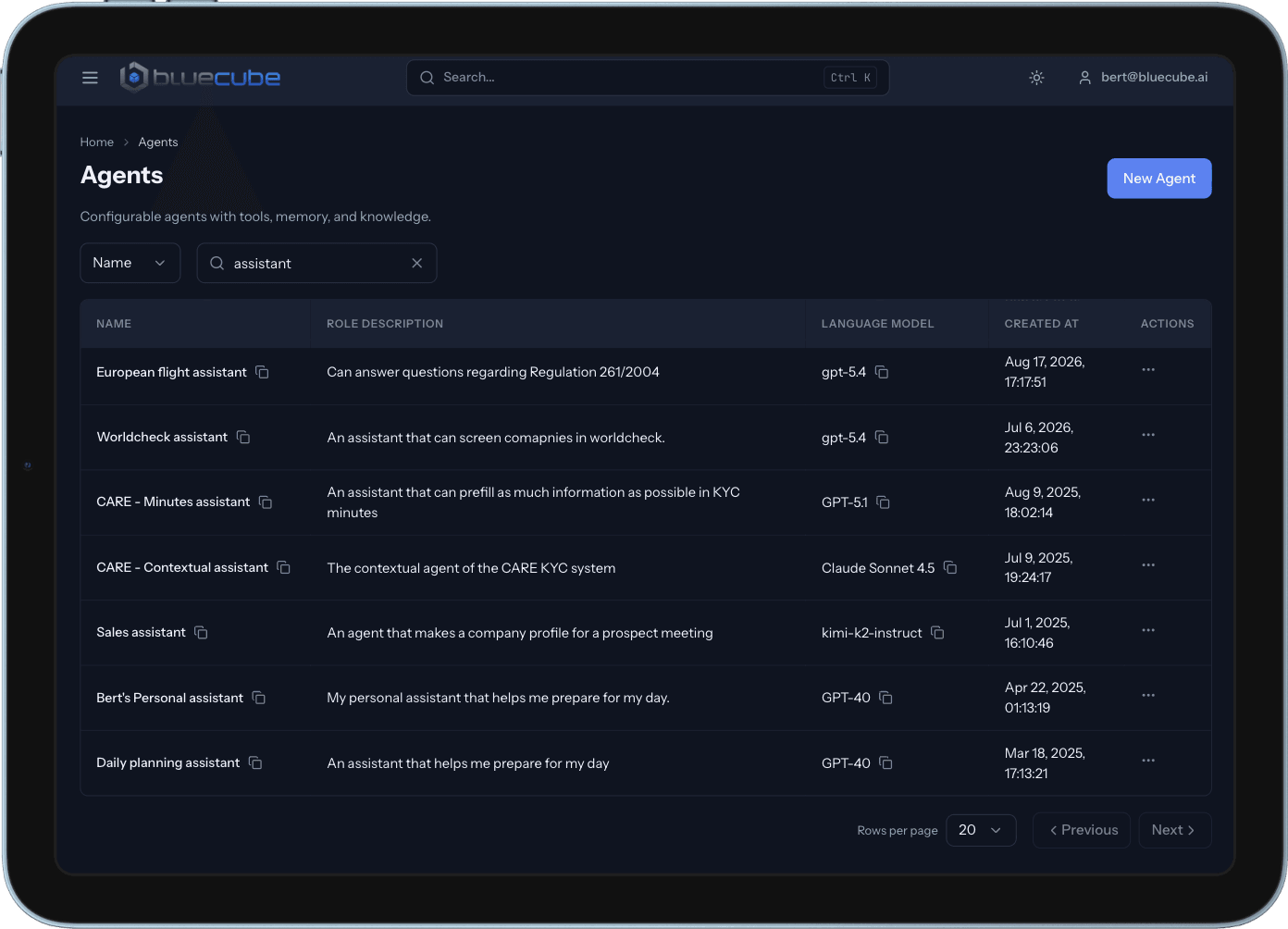
    CORE on a tablet: the agents your organisation has configured
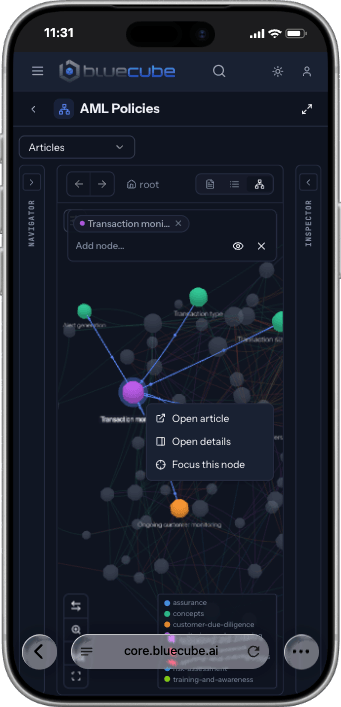
    CORE on a phone: a knowledge graph of policies
  2. Step 2, optional. Extend it with CODER tools.

    For deeper connections to your systems, changes to those systems, or a new application. CODER tools take a requirement to working, tested software, with a person approving every critical step.

    We build it for you, or your developers use the tools themselves.

    Ask about CODER tools
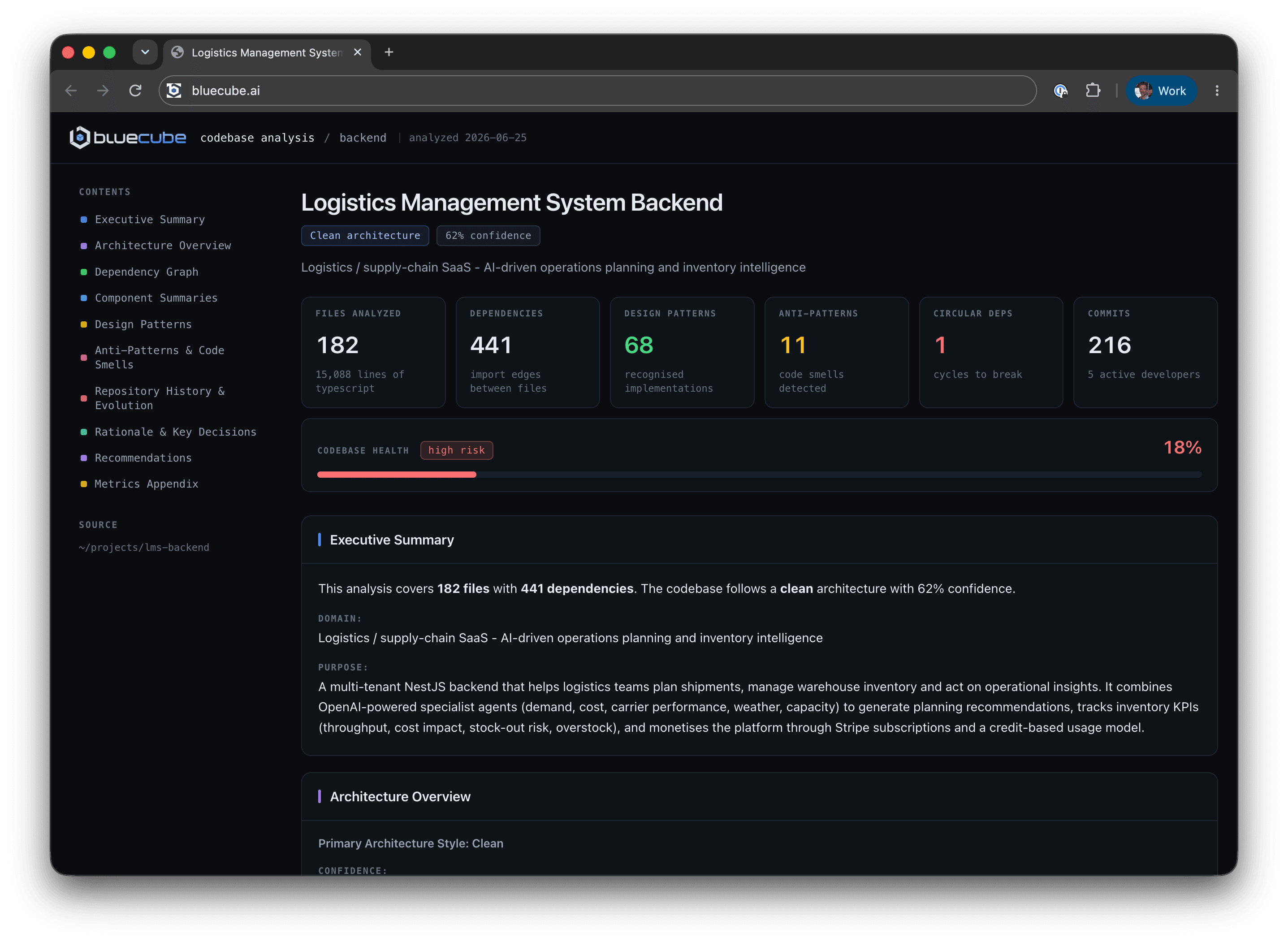
    CODER tools codebase analysis in a browser: files, dependencies, design patterns and codebase health
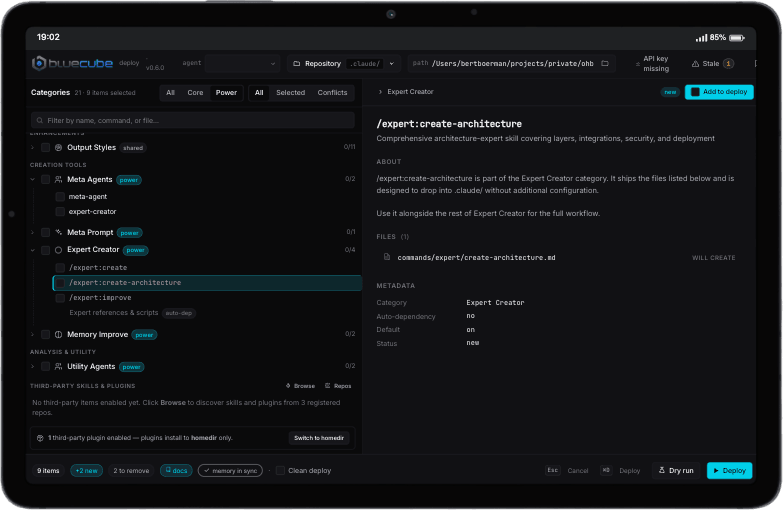
    CODER tools on a tablet: commands and agents selected for a deployment

Use cases

CORE runs any use case, in any industry. Your team configures its own automations, or we set them up with you.

  • RfP and DDQ answers

    The request
    "Complete this questionnaire from our previous answers"
    What the agents do
    Find prior answers, rank them, write proposals into Excel with the source
    What your people decide
    Pick or edit each answer
    The result
    Questionnaires drafted with sources, in the file you already use
    Learn more about RfP and DDQ answers
  • Bank reconciliation

    The request
    "Match this month's bank lines"
    What the agents do
    Match lines to invoices and expenses, adjust drifted amounts, draft what is missing
    What your people decide
    Confirm line by line, or above a threshold in one action
    The result
    Nothing is written without a click
    Learn more about Bank reconciliation
  • Invoice management

    The request
    "Invoice this month's hours"
    What the agents do
    Collect the billable hours, create each invoice, send it to the client
    What your people decide
    Check each invoice before it goes out
    The result
    Invoices sent on time, matched to the work done
    Learn more about Invoice management
  • Transaction monitoring

    The request
    "Check every transaction against expected behaviour"
    What the agents do
    Categorise, compare, rate the risk
    What your people decide
    Clear, escalate or ask for information
    The result
    Thousands of checks a month, your team handles the few that matter
    Learn more about Transaction monitoring
  • Risk scoring

    The request
    "Score the risk on this counterparty"
    What the agents do
    Gather the data, apply your scoring model, explain every factor
    What your people decide
    Accept or override the score, with a reason
    The result
    Consistent scores, with the reasoning on file
    Learn more about Risk scoring
  • Client onboarding

    The request
    "Review this new corporate client"
    What the agents do
    Extract documents, screen parties, build the ownership chart
    What your people decide
    Every decision on the file
    The result
    Analysts work on judgement, not on searching
    Learn more about Client onboarding
  • Document processing

    The request
    "File these contracts and pull out the key terms"
    What the agents do
    Read each document, extract the fields, classify it and file it in the right place
    What your people decide
    Check the fields the agents are unsure about
    The result
    Every document findable, its data in your systems
    Learn more about Document processing
  • Procedures management

    The request
    "Update our procedures to the new regulation"
    What the agents do
    Compare each procedure to the new text, mark the gaps, draft the changes
    What your people decide
    Approve every change before it is published
    The result
    Procedures that stay current, with a record of every change
    Learn more about Procedures management
  • CRM data enrichment

    The request
    "Complete the records of our new leads"
    What the agents do
    Look up company data, fill the missing fields, flag duplicates
    What your people decide
    Merge duplicates and approve the updates
    The result
    A CRM your sales team can trust
    Learn more about CRM data enrichment
  • Social media scheduling

    The request
    "Plan next month's posts from our latest news"
    What the agents do
    Draft posts in your tone of voice, create matching images, propose a schedule
    What your people decide
    Edit and approve each post before it is published
    The result
    A month of posts planned, in your corporate identity
    Learn more about Social media scheduling
  • Deal sourcing

    The request
    "Which assets could come to market?"
    What the agents do
    Scan news for closures and restructurings
    What your people decide
    Which leads to pursue
    The result
    Targets found in a fraction of the time
    Learn more about Deal sourcing
  • What's your use case?

    Tell us the request your team handles every week. We will show you how it would run on CORE.

    Talk to us

AI costs you can predict, and actions you can explain

Model bills are often a black box until they land. And explainability of AI actions is not a nice-to-have but a regulatory requirement. CORE shows what each one costs and keeps a record of every step your agents take.
  • Your model bill stays yours. You pay your model provider directly, at its price. We add nothing to it.
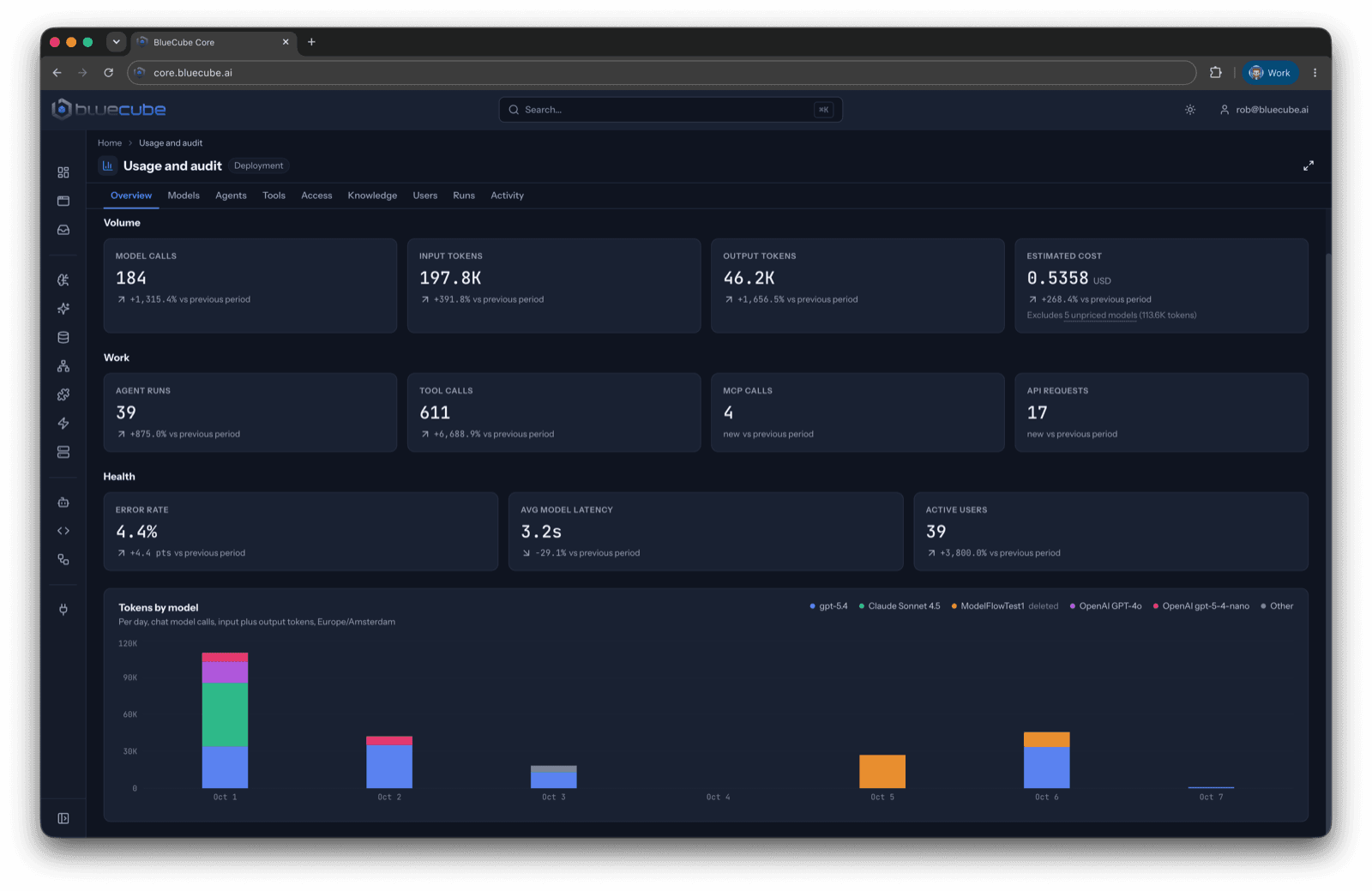
  • Every model, agent and user measured. Tokens, estimated cost, agent runs and tool calls per day, so you can decide where AI is worth it.
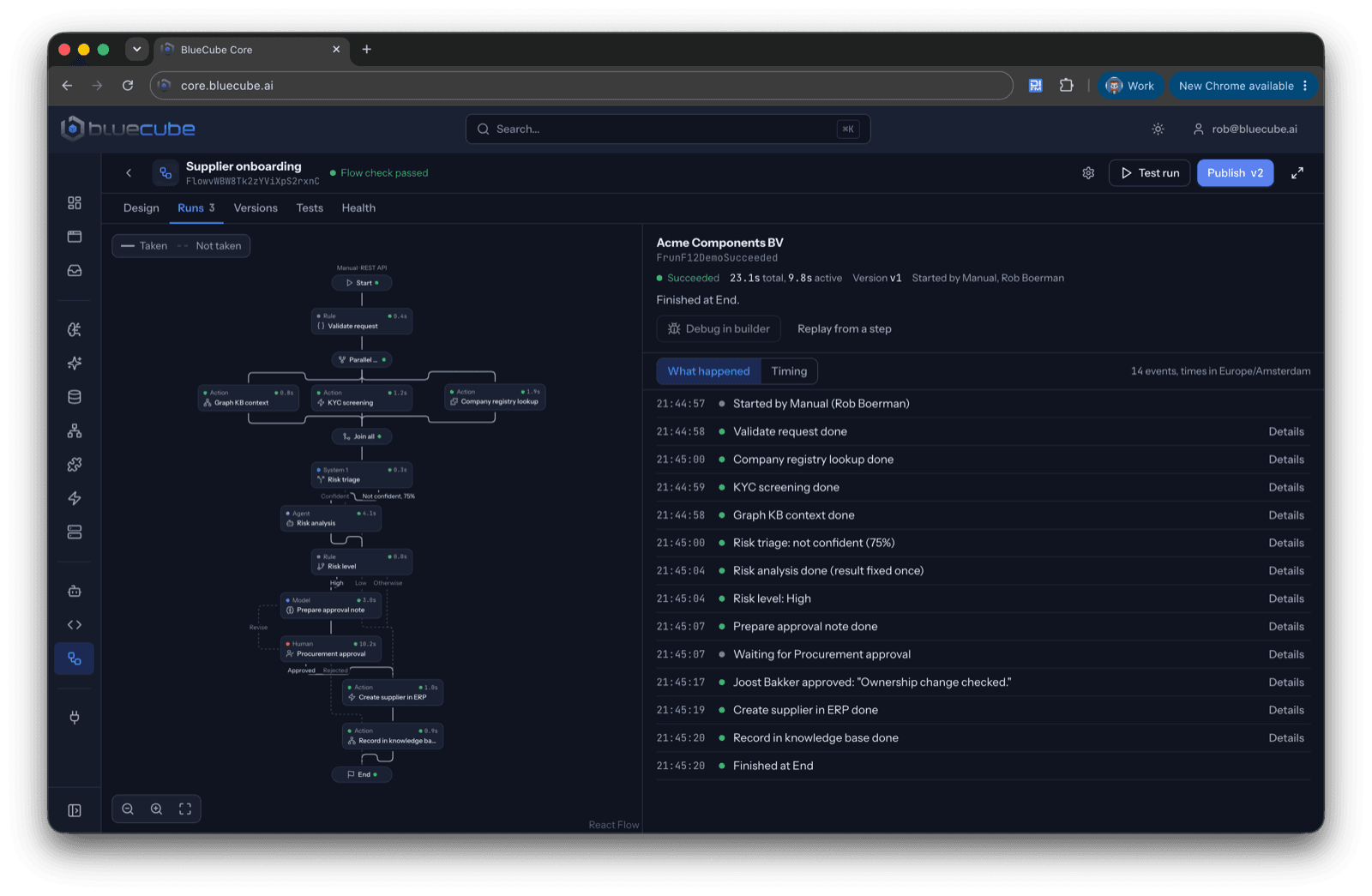
  • Every action on record. Each agent run keeps its steps: the model it used, the tools it called and who approved it. Your auditors can trace any result back to the request.
  • Workflows you can explain. For every outcome you see which flow the agents followed and which sources they used.
See how you stay in control of your AI
CORE usage and audit dashboard: model calls, tokens and estimated cost, agent runs and tool calls, error rate and latency, and tokens per model per day
One run of a supplier onboarding flow in CORE: the path it took through each step with its timing, and a log of every event, including the procurement approval by a person

Latest from our blog

Jev: Why System 1 Matters for Reliable AI

25 September 2026

Jev: Why System 1 Matters for Reliable AI

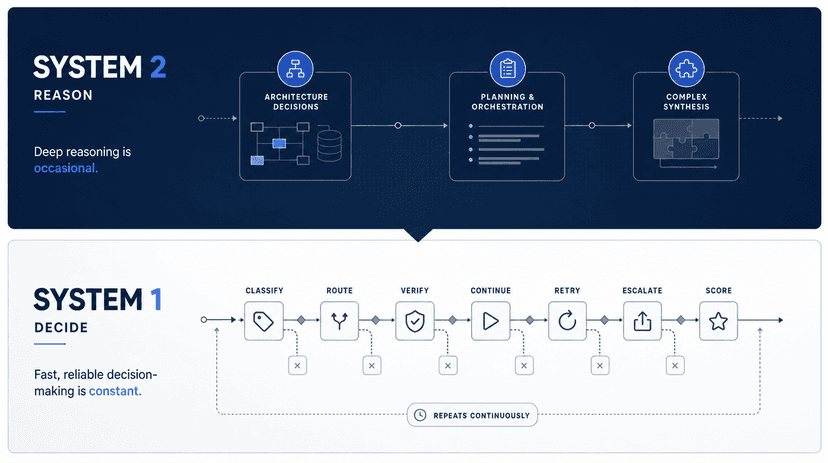
Reasoning models brought System 2 thinking to AI. But reliable agentic software also depends on System 1: fast, constrained and reliable decisions with explicit uncertainty. Here is how we use Jev inside BlueCube Core.

Read more →

Which AI project in your company should have been live by now?

Tell us. We will show you how it would run on CORE. You can start with one team and one use case.